Customer's project
How to create a new project
- Under https://gitlab.com/ai-for-cloud-switching-framework/assessments/, click on
Create project.

- Select
Create blank projet, pick a name and click on Create project again.
- That's all 🌞 !
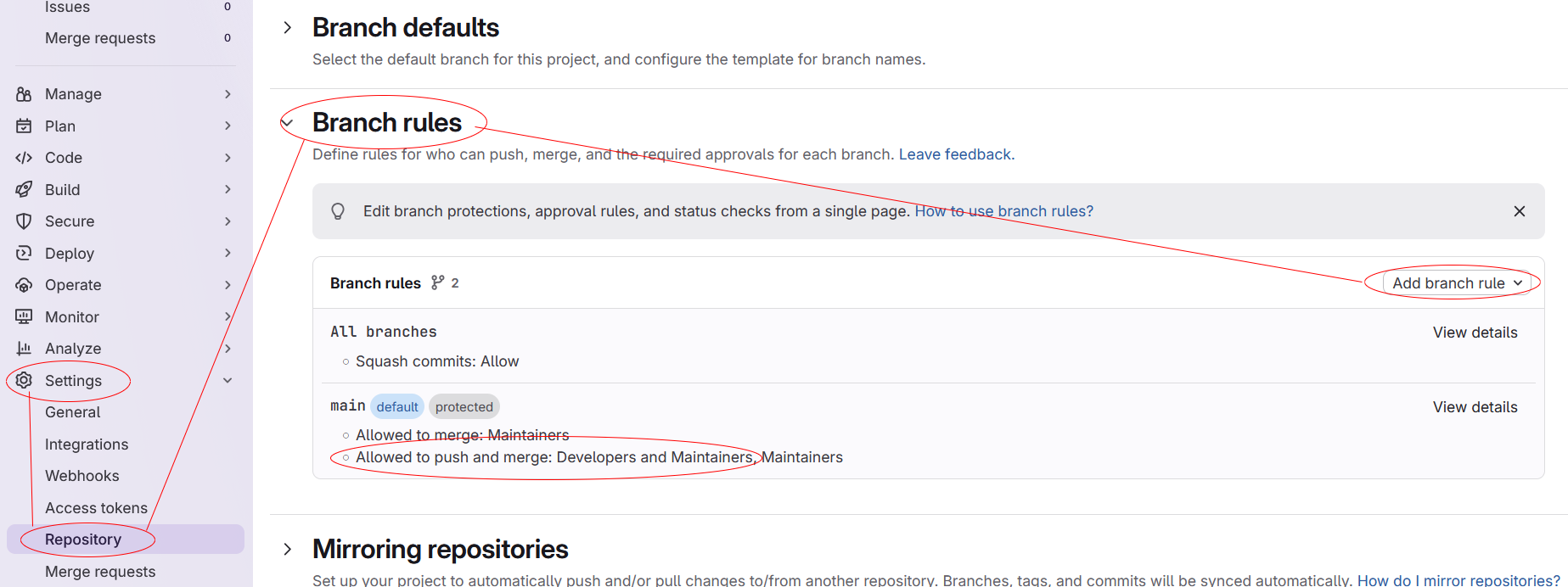
- Open the project to configure and go to
Setting > Repository > Branch rules.
- Add a new rule and enable
Allowed to push and merge: Developpers and Maintainers
- Enable CI/CD variables to be used in pipelines. Set
Settings > CI/CD > Variables to Developer

- You're done ✨ !
How to add/remove users to a project
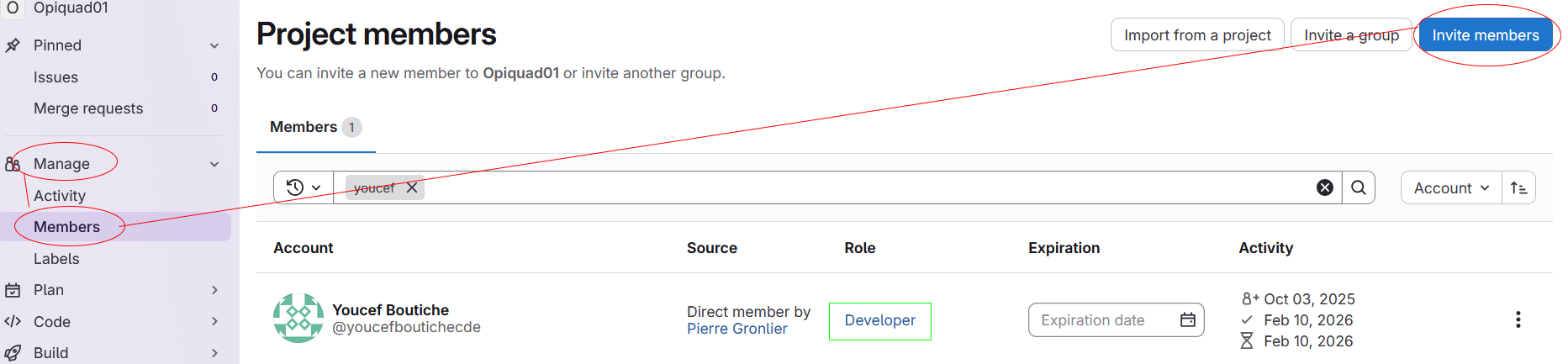
- Open the project to configure and go to
Manage > Members.
- Click on
Invite members and enter the user's email or its username.
- Select
Developer as role and click Invite
- Finished 🚀 !